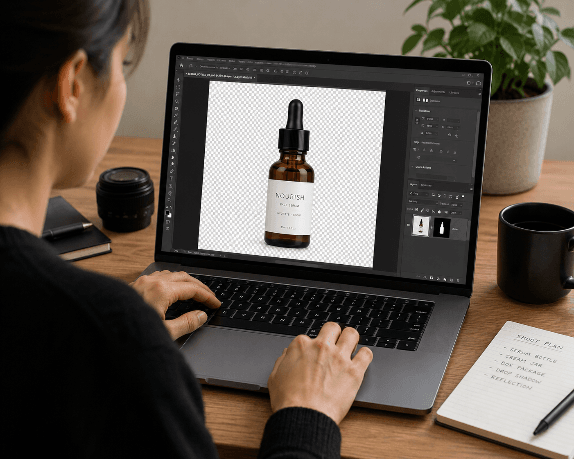
Removing backgrounds from images used to require hours of manual work in Photoshop. In 2026, dozens of free AI tools handle the task in seconds, producing clean cutouts suitable for e-commerce listings, social media posts, and professional headshots. The accuracy of these tools has improved significantly over the past year, especially with complex edges like hair, fur, and semi-transparent objects. If you are evaluating AI image tools for your workflow, this guide breaks down the best free options available right now.
Choosing the right background remover depends on your specific needs: resolution limits, batch processing, API access, and output format all vary between platforms. We tested over a dozen tools and narrowed the list to seven that deliver consistent results without requiring a paid subscription. Whether you need a quick cutout for a social media post or bulk processing for a product catalog, at least one of these tools should fit. For a broader look at what is available in the AI image space, check out this comparison of AI image generation tools as well.
How AI Background Removal Works
Modern background removal tools use semantic segmentation models trained on millions of images. The AI identifies the foreground subject pixel by pixel, then generates an alpha channel mask that separates subject from background. Most tools in 2026 use variants of the U2-Net or IS-Net architectures, though some providers have developed proprietary models.
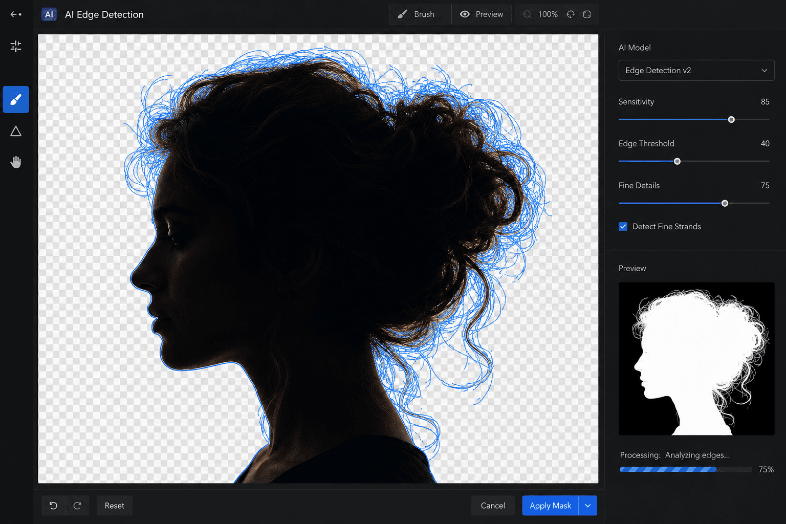
The key differentiator between tools is edge quality. Cheap implementations produce hard, jagged edges around hair and fine details. Better tools apply matting refinement that handles semi-transparent areas, wisps of hair, and objects with complex silhouettes. Several AI design platforms now bundle background removal alongside other editing features, making it part of a broader creative toolkit.
Top 7 Free Background Remover Tools
1. Remove.bg
Remove.bg remains the most recognized name in this space. Upload an image and get a clean cutout within five seconds. The free tier limits output resolution to 0.25 megapixels (roughly 500x500), which works for social media thumbnails but not for print. Higher resolution downloads require credits.
- Best for: Quick social media cutouts
- Free limit: 0.25 MP output, 1 image at a time
- Output format: PNG with transparency
2. PhotoRoom
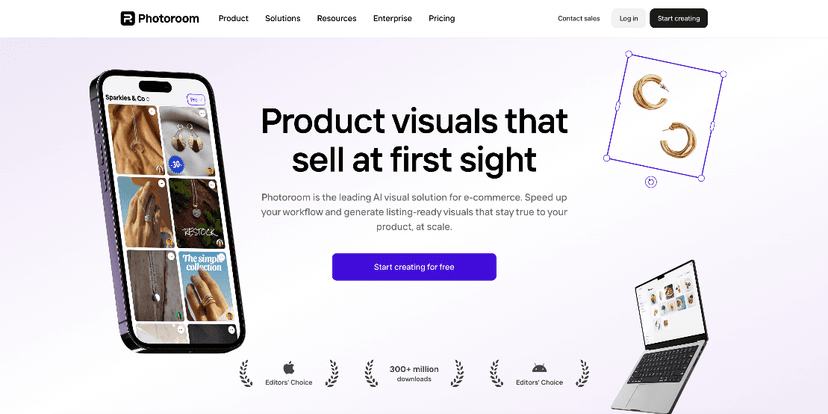
PhotoRoom offers background removal as part of a larger product photography suite. The free plan includes unlimited removals at decent resolution, though images carry a small watermark. The batch processing feature is locked behind the pro tier. PhotoRoom also has a strong mobile app, making it useful for sellers who photograph products with their phone. For creators exploring AI art generators, PhotoRoom pairs well as a post-processing step.
- Best for: Product photography and mobile workflows
- Free limit: Unlimited removals, watermarked output
- Output format: PNG, JPG
3. Clipdrop (by Stability AI)
Clipdrop leverages Stability AI's models to deliver high-quality cutouts. The free tier allows several removals per day at full resolution with no watermark, which makes it one of the most generous free options. Edge handling on hair and complex textures is above average. Clipdrop also offers an API for developers who want to integrate removal into their own applications.
- Best for: High-resolution cutouts without watermarks
- Free limit: ~10 removals per day, full resolution
- Output format: PNG
4. Canva Background Remover
If you already use Canva for social media graphics, the built-in background remover is convenient. It is technically a Pro feature, but Canva's free trial gives access for 30 days. The quality is solid for general use cases, though it struggles with very fine hair details compared to dedicated tools. The advantage is staying inside one editor for the entire design process, something useful when building visual content for marketing.
- Best for: Users already in the Canva ecosystem
- Free limit: 30-day trial, then Pro required
- Output format: PNG within Canva projects
5. Pixlr Background Remover
Pixlr's standalone background remover is entirely free and runs in the browser. It handles standard portraits and product shots well, and the output quality sits in the mid-range. Where Pixlr stands out is its integration with the full Pixlr X editor, so you can remove a background and immediately composite onto a new one. Creating effective prompts for AI-generated replacement backgrounds is easier with a dedicated AI prompt generator that helps structure scene descriptions.
- Best for: Quick browser-based editing with compositing
- Free limit: Unlimited, with ads
- Output format: PNG
6. Erase.bg
Erase.bg (by Pixelbin) provides free background removal with a clean interface and no account required. The free tier caps output at 1 megapixel, which is better than Remove.bg's free limit. It supports bulk uploads on paid plans, but single-image processing is genuinely free. The tool also offers colored background replacement, not just transparency.
- Best for: No-signup quick removals at decent resolution
- Free limit: 1 MP output, no account needed
- Output format: PNG, JPG
7. Removal.AI
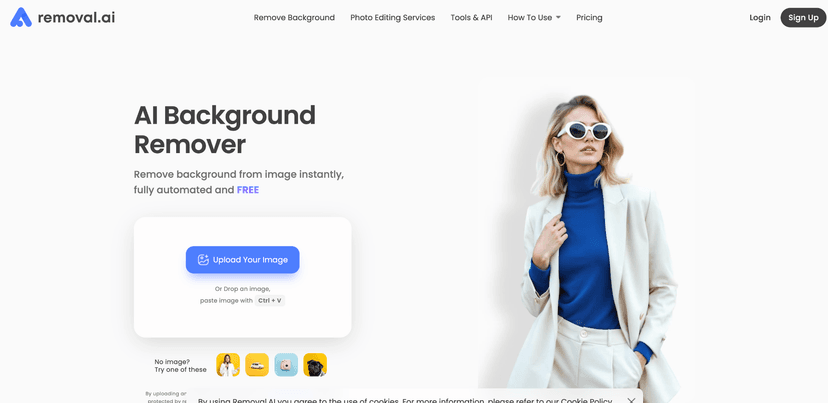
Removal.AI focuses on e-commerce use cases and handles product photos particularly well. The free plan includes 1 image at a time with a resolution cap. The car detection mode is a standout feature for automotive listings. The API is available on paid plans for integration into product photography pipelines. Exploring AI image editing tools alongside Removal.AI can help build a complete product photography workflow.
- Best for: E-commerce product photos and automotive listings
- Free limit: Resolution-capped output, 1 image at a time
- Output format: PNG
Comparison Table
| Tool | Free Resolution | Watermark | Batch | API | Best Edge Quality |
|---|---|---|---|---|---|
| Remove.bg | 0.25 MP | No | No | Paid | Good |
| PhotoRoom | Full | Yes | No | Paid | Good |
| Clipdrop | Full | No | No | Paid | Very Good |
| Canva | Full (trial) | No | No | No | Average |
| Pixlr | Full | No | No | No | Average |
| Erase.bg | 1 MP | No | No | Paid | Good |
| Removal.AI | Capped | No | No | Paid | Good |
What to Look for in a Free Background Remover
Not every tool fits every use case. Here are the factors worth evaluating before committing to one:
Resolution limits matter most for print and large-format displays. If you need full-resolution output for free, Clipdrop is currently the best option. For social media, even Remove.bg's 0.25 MP output is sufficient.
Edge quality on hair and fur is where tools diverge most. Clipdrop and Remove.bg lead here. Canva and Pixlr tend to produce slightly harder edges on fine details. If you are working with portrait photography, test each tool with a challenging image before building it into your workflow. The growing Recraft platform also demonstrates how specialized AI models improve edge detection.
Batch processing is typically a paid feature across all tools. If you need to process hundreds of product images, expect to pay or use an API. For occasional single-image use, any tool on this list works fine.
Privacy is often overlooked. Most tools process images on their servers and may retain them temporarily. Check each tool's privacy policy if you are working with sensitive images. Some tools like Erase.bg explicitly state they delete uploads after processing. For a deeper look at how AI tools handle data, the Bing AI image generator review covers Microsoft's approach to uploaded content.
Use Cases Beyond Simple Cutouts
Background removal is just the first step in many creative workflows. Here are practical applications that go beyond basic transparency:
- E-commerce listings: Clean white backgrounds are standard for Amazon, Etsy, and Shopify stores. Remove the original background, then composite onto pure white.
- Social media content: Layer subjects onto branded backgrounds, gradient fills, or location shots. This works well with ChatGPT-generated images as replacement backgrounds.
- Video production: Some tools now support video background removal frame by frame. While not yet free at scale, the technology is advancing rapidly. For a full rundown of what is possible, see this guide to AI video generators.
- Design mockups: Place product photos into lifestyle scenes. Tools like AI-powered design visualization show how products look in real environments, from furniture in living rooms to accessories on models.
- Presentations and documents: Transparent PNGs integrate cleanly into slides and reports without the white rectangle artifact.
Tips for Getting Better Results
Even the best AI tools produce imperfect results sometimes. These steps help you get cleaner outputs:
- Use high-contrast images: The AI performs best when the subject clearly stands out from the background. Low-contrast scenes with similar colors between subject and background cause more errors.
- Avoid busy backgrounds: Patterned or cluttered backgrounds increase processing difficulty. If possible, shoot against a simple wall or fabric.
- Check edges at 200% zoom: Most artifacts hide at the pixel level. Zoom in on hair, fingers, and object boundaries before using the cutout.
- Try multiple tools: Each tool has different model strengths. If Remove.bg struggles with a particular image, Clipdrop or Erase.bg might handle it better.
- Post-process edges: A slight feather or blur on the mask edge can fix minor jaggedness. Any free photo editor handles this, and reviews of tools like Flux AI cover additional post-processing techniques.
Frequently Asked Questions
Which free background remover gives the highest resolution output? Clipdrop currently offers the best free resolution, providing full-resolution downloads without watermarks. Erase.bg comes second with 1 MP output on the free tier. Most other tools cap free output at lower resolutions or add watermarks.
Can I use these tools for commercial purposes? Yes. All seven tools listed here allow commercial use of the output images on their free tiers. However, review each tool's terms of service for specific restrictions, especially around resale of the processed images themselves. The AI tools category page links to additional resources for evaluating tool licensing.
Do free background removers work on videos? Most free tools focus on still images. Video background removal exists but is typically limited to paid tiers due to the computational cost. Tools like Unscreen and Runway offer video background removal, but free usage is very limited.
How accurate is AI background removal on complex images? Accuracy depends on the image. Solid-colored backgrounds with clear subject separation produce near-perfect results. Complex scenes with hair, transparent objects, or subjects that match the background color still require manual touch-ups in some cases. Reviewing how Ideogram handles complex image tasks gives useful context on where AI excels and where it still struggles.
Is it safe to upload photos to these tools? Most reputable tools encrypt uploads and delete them after processing. However, always check the privacy policy. Avoid uploading sensitive personal photos or confidential business images to tools that do not clearly state their data handling practices.
Can I replace the background with a custom image instead of making it transparent? Several tools offer background replacement as a built-in feature. PhotoRoom, Canva, and Pixlr all let you swap backgrounds directly. Others output a transparent PNG that you can layer onto any background in a separate editor. Some users also combine cutouts with AI-generated visual content for custom composite scenes.
What file format should I save my cutout in? PNG is the standard for transparent backgrounds. JPG does not support transparency, so avoid it for cutouts. WebP supports transparency and produces smaller file sizes, but not all platforms accept it yet.
Conclusion
The free background remover landscape in 2026 offers genuine quality without requiring a credit card. Clipdrop stands out for resolution and edge quality, Remove.bg for speed and simplicity, and PhotoRoom for mobile-first workflows. For most users, testing two or three tools with your specific image types will quickly reveal which one fits best. As AI image processing continues to improve across the broader AI tool ecosystem, expect even better free-tier offerings in the months ahead.