AI Voice Cleaner Review – Instant Noise Removal That Actually Works
Introduction
As someone who works with audio frequently whether it’s for podcasts, video calls, or voiceovers getting clean, professional-sounding recordings without background distractions has always been a priority. That’s why I gave AI Voice Cleaner a try, and honestly, it exceeded my expectations. It’s not just another noise remover it feels like a tool built for people who want great sound without needing to be audio engineers.
What is AI Voice Cleaner?
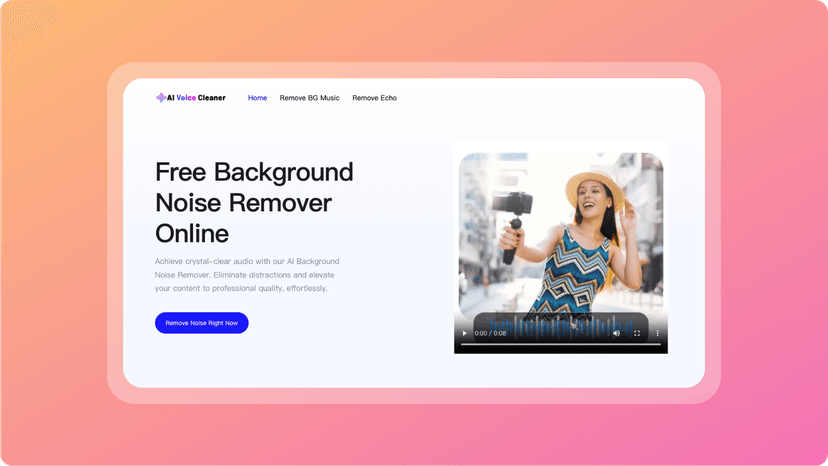
AI Voice Cleaner is a browser-based tool that uses artificial intelligence to automatically clean up your voice recordings. It removes background noise, echo, static, hum, and even subtle sounds like keyboard clicks or distant fans.
What makes it special is that it doesn’t just apply a blanket filter—it uses deep learning to detect and isolate your voice while eliminating the noise intelligently. The result? Clean, natural sounding audio that still feels like you. It’s entirely online, supports most common audio and video formats, and works fast without requiring any software installation.
How It Works
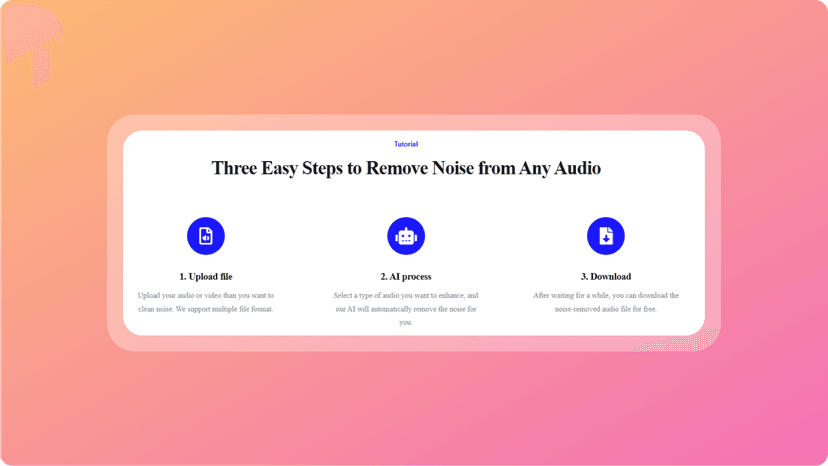
Getting started is incredibly simple, and that’s one of the biggest strengths of this tool.
- Upload your audio (or video) file.
- Choose the type of noise you want removed.
- Wait a few seconds for the AI to process.
- Download your clean, polished voice file.
In my experience, the platform handled both podcast audio and Zoom recordings with ease. I appreciated that it didn’t just strip everything away—the voice retained its warmth and clarity, which is something other tools often mess up.
My Personal Experience
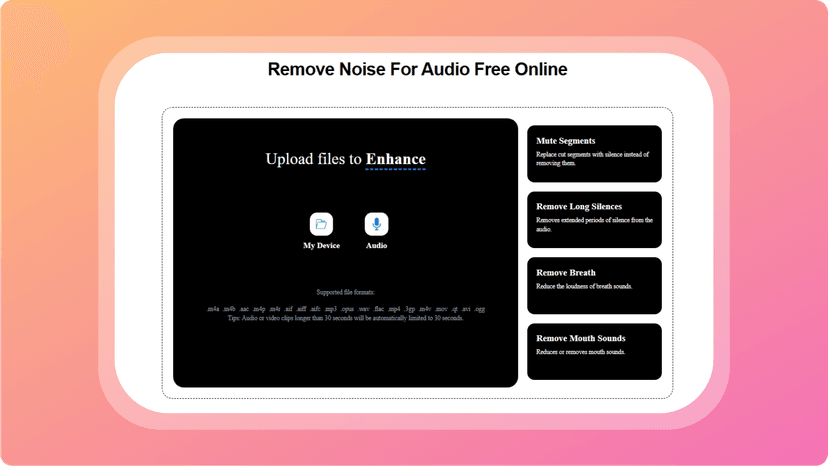
I tested AI Voice Cleaneron a few different files one was a podcast intro recorded with background fan noise, and the other was an old video clip with room echo. The tool completely removed the unwanted sounds while keeping my voice natural and untouched.
What really stood out was how fast and effortless it was. I didn’t need to adjust any settings or play with filters. Just upload and download—it really is that easy. And because it works right from the browser, there was no need to install anything or even create an account.
If you’re like me and value clarity but don’t want to spend hours in editing software, this tool hits the sweet spot.
Pricing
Right now, AI Voice Cleaner is completely free to use. No sign-up required. No usage caps. You just visit the site, upload your audio or video, and download the cleaned file. That’s it.
This kind of access especially with such high-quality results is rare these days, making it an even more compelling tool for creators or professionals on a budget.
Pros and Cons
Pros
- Completely free with no account needed
- Removes a wide range of noises effectively
- Keeps vocal quality natural and intact
- Super fast and easy to use
- Supports both audio and video files
- No software installation required
Cons
- No advanced editing tools for pro users
- May struggle with overly distorted audio
Conclusion
AI Voice Cleaner is one of those tools that does one thing really well and that’s giving you clean, crisp voice recordings in seconds. Whether you’re cleaning up a podcast, improving a voice note, or getting better audio for your next video upload, this tool is surprisingly effective and refreshingly simple.
It reminds me of other purpose-driven tools like LyricEdits, which makes lyric videos easy and fast, or even Monster Generator, which streamlines creative design. AI Voice Cleaner fits into that same category of tools you didn’t know you needed—until you use it and realize how much time and frustration it saves.
If your voice matters in your content, this tool is definitely worth trying.