Whether you're building a fantasy world, working on a tabletop RPG campaign, developing a game, or just looking to spark your creativity, finding unique character visuals can be a serious time-sink.
I recently came across Monster Generator, and after using it for a couple of weeks, I can confidently say this isn’t just a novelty tool – it’s a time-saving, creativity-enhancing web app that actually delivers. The AI is smarter than expected, the interface is dead simple, and the results? Genuinely fun, weird, and inspiring.
What is Monster Generator?
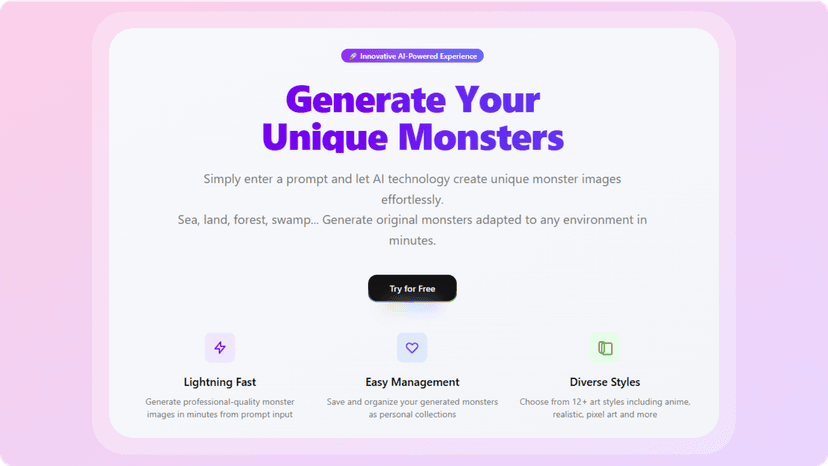 Monster Generator is an AI-powered web application that lets users generate original monster images from text prompts. It’s specifically designed for creative users, writers, game designers, storytellers, even casual hobbyists who want to visualize unique monsters without needing illustration skills or expensive software.
What makes it different from generic image generators is its niche focus on monsters. You’re not getting vague AI art with abstract shapes, you're getting actual, coherent, stylized monster designs that feel tailored for fantasy settings, games, or even storytelling decks. It’s like having a sketch artist who never sleeps and instantly understands your weirdest creature ideas.
How It Works
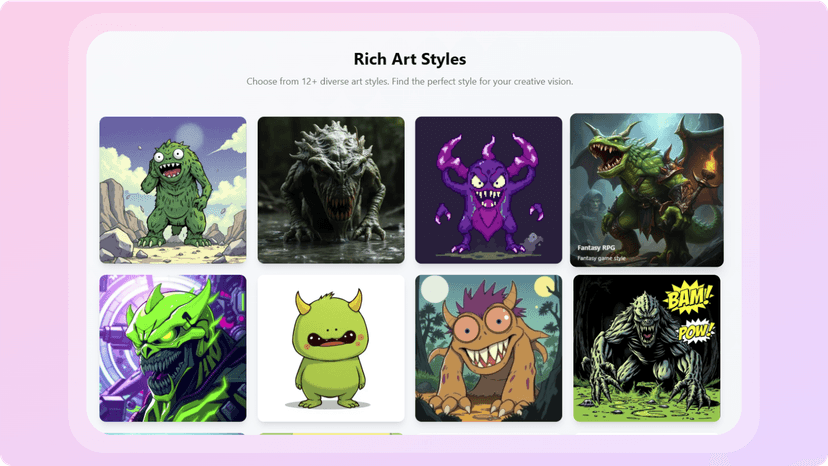
Using Monster Generator is refreshingly straightforward. Once you're on the site, you just type a description of the kind of monster you want to create, something like “glowing lizard with stone armor” or “cybernetic wolf with insect wings.” Hit generate, and within seconds, the AI spits out a high-quality monster image based on your prompt.
The real magic happens after the image is created. You can save your favorite monsters to a personal collection, giving you a kind of digital bestiary that you can return to or build upon later. The tool doesn’t require any design skills, no sliders, filters, or confusing UI. It’s just prompt, generate, save. You can go as broad or specific as you like, and the AI handles it well across a surprising range of styles.
My Personal Experience
I initially tested Monster Generator just for fun while outlining a fantasy-themed game, but it quickly became a go-to tool during my creative brainstorming sessions. I’ve now created over 50 monsters, each distinct and weirdly beautiful. Some look like they belong in a Pokémon game, others like terrifying D&D bosses. What stood out most was the consistency – once I got a feel for how to phrase prompts, the generator started delivering exactly what I had in mind.
One of my favorite moments was when I input “underwater ghost creature made of coral and shadows,” and the AI gave me an eerie, bioluminescent figure that I immediately added to my world-building notes. It’s these little moments where the tool feels like it reads your imagination that make Monster Generator feel so satisfying.
Also, being able to build a personal monster collection is a feature I didn’t know I needed. I use it now not just for visuals, but also as inspiration for character abilities, lore, and backstory development.
Pricing
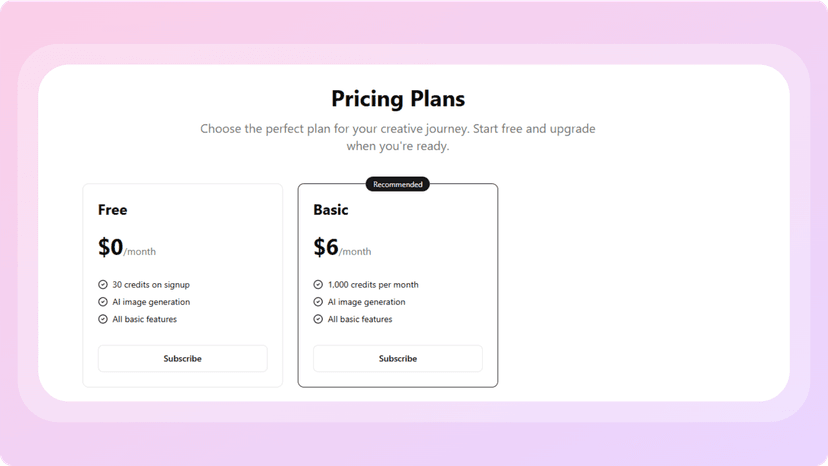
Monster Generator keeps things refreshingly simple with just two straightforward plans:
- Free Plan ($0/month): Great for testing the waters. You get 30 credits on signup, access to AI image generation, and all the core features to start creating and saving your monsters without spending a dime.
- Basic Plan ($6/month): This gives you 1,000 credits per month—plenty for frequent use—and includes the same AI generation capabilities and basic features. It’s a generous offering considering the low price point, especially for anyone building a full creature library or using the tool in ongoing creative projects.
Both plans provide the same access to the tool’s essential features, so you’re not locked out of functionality on the free version—you just get more mileage and flexibility with the Basic plan. It’s a budget-friendly option that still delivers * plenty of value*.
Pros and Cons
Pros:
- Super easy to use with no design skills required
- Prompt-based system encourages creativity
- High-quality, varied monster art generation
- Personalized monster collection to save and organize creations
- Perfect for world-building, game design, or story inspiration
- No log-in required to start generating
Cons:
- Currently lacks editing tools or customization beyond text prompt
- Limited control over monster pose or environment
- Would love to see export options for higher-res or transparent backgrounds
Conclusion
Monster Generator is one of those niche tools that hits its mark perfectly. It doesn’t try to be a general-purpose image AI – it sticks to monsters, and that focused approach makes it shine. Whether you’re designing game characters, fleshing out fantasy lore, or just want to play around with creature ideas, this is one of the most enjoyable and productive AI tools I’ve used.
If you’ve liked other AI creativity tools I’ve reviewed like PDFSummarizer.pro for streamlining dense info or Xavier AI for generating professional presentations from just a prompt, you’ll appreciate Monster Generator’s simple interface and powerful output. It turns your imagination into visuals in seconds – and honestly, that’s exactly what good AI tools should do.
For creatives looking to turn abstract ideas into tangible, visual assets without the usual design roadblocks, Monster Generator is well worth a spot in your toolbox.