Introduction
If you’ve ever tried setting up a new full-stack project from scratch, especially one that spans web, mobile, and browser platforms, you know how much overhead is involved just to get a decent foundation in place. Boilerplate fatigue is real. That’s exactly where TurboStarter comes in. After spending some time working with it hands-on, I can honestly say this is one of the most robust and intelligently designed starter kits I’ve used in recent memory.
TurboStarter isn’t just a template, it’s a powerful, pre-configured monorepo setup that drastically cuts down the time from idea to deployment. Whether you’re building a SaaS app, mobile product, or a Chrome extension, it handles all the messy scaffolding and leaves you to focus on shipping features. With built-in AI support, authentication, billing, analytics, and theming systems baked in, it's a legitimate productivity boost for serious developers or indie builders.
What is TurboStarter
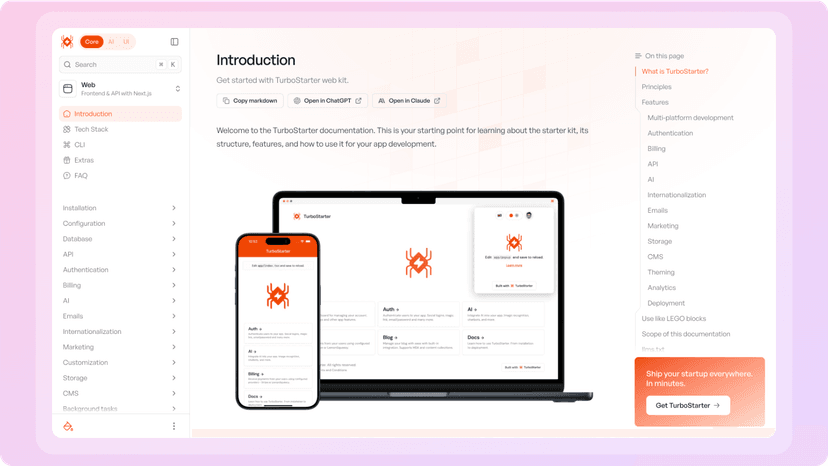
TurboStarter is an all-in-one, production-ready monorepo starter kit built for developers who want to ship scalable apps fast across web, mobile, and browser platforms. It’s built using technologies like Next.js, React Native (Expo), and WXT (for browser extensions), and it includes out-of-the-box support for AI features, serverless edge computing, billing systems, and even internationalization.
At its core, TurboStarter provides a unified codebase with modular architecture. This makes it ideal for projects that require cross-platform support without duplicating logic across multiple repos. Beyond just the tech stack, it comes with built-in developer tools, a powerful CLI, integrated analytics, and even design system theming. It essentially acts as a foundation for building real SaaS products or AI tools that are ready for deployment the moment you hit "create."
How It Works
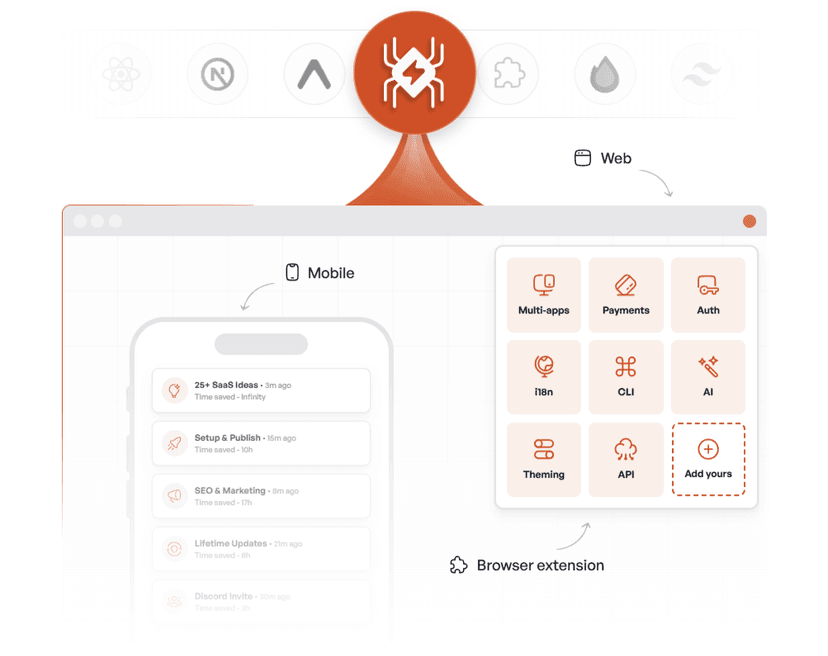
Setting up TurboStarter is straightforward and surprisingly frictionless, considering how much is packed into the kit. Once you clone the repo and run the CLI, you can select which modules you want to use, whether it’s just a web app, or you want to also generate a mobile and browser version simultaneously. The CLI scaffolds everything for you, including route structures, authentication flows, and API endpoints.
From there, you’re working in a monorepo structure where packages are cleanly separated, yet shareable. Want to build a component in your web app and reuse it in the mobile app? You can. Want to implement AI-based features using LLMs and vector databases? There’s built-in support for that. Need Stripe billing, user authentication, or analytics out of the box? All of it’s pre-configured and easy to tweak.
The real magic is that you’re not boxed into one specific stack or toolset. TurboStarter gives you high-quality defaults, but it also lets you customize nearly everything, from theming and CMS support to which AI tools you integrate. It strikes the right balance between opinionated structure and flexibility.
My Personal Experience
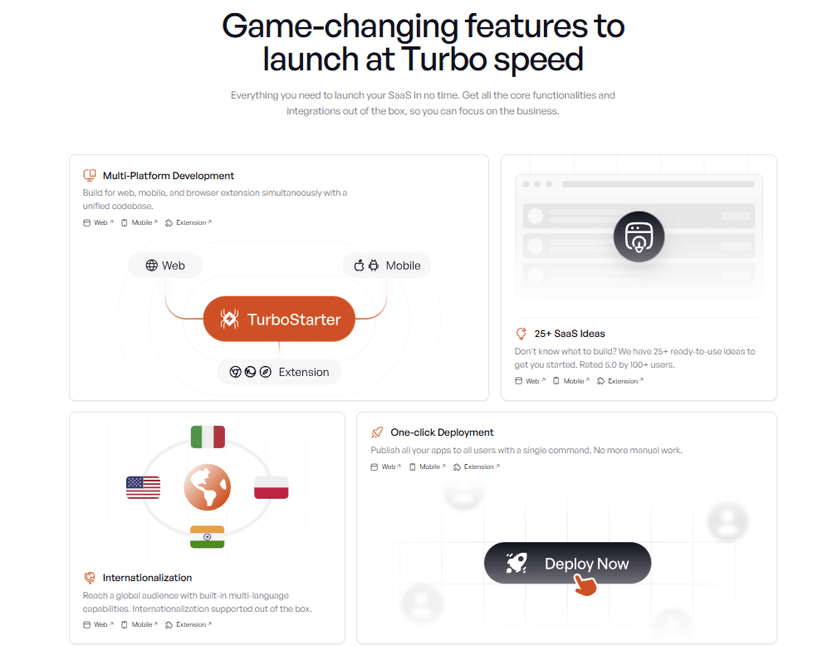
I initially tried TurboStarter out of curiosity to see how well it handled a multi-platform setup. What impressed me most was just how polished everything felt. Within minutes, I had a working SaaS-style app running on the web, with a mobile counterpart and browser extension ready to go. I didn’t have to fiddle with obscure build configurations or wrestle with dependency hell – TurboStarter just handled it.
I tested the authentication setup, payment integration, and vector search system, and everything worked as advertised. The LLM integration was smooth; I dropped in an OpenAI key and was able to build a basic AI writing assistant with shared logic between the web and mobile versions.
Another area that stood out was how clean and readable the code is. For a starter kit, the architecture is impressively well-documented and developer-friendly. Modular packages made it easy to navigate, and I appreciated how thoughtfully it approached scalability and separation of concerns.
What really clinched it for me, though, was being able to export my browser extension and deploy the app to Vercel and the mobile app via Expo in practically the same afternoon. If you’re a solo dev or a small team looking to move fast, TurboStarter genuinely feels like an unfair advantage.
Pricing
TurboStarter uses a freemium model. You can start with free tools like Envin and Extro, but the main value lies in the Core Kit, priced at a one-time fee of $199 (discounted from $299 for a limited time).
Included in the Core Kit:
- Production-ready templates for web, mobile (React Native), and Chrome extensions
- Built-in CLI for quick bootstrapping
- OAuth auth flow and billing setup (Stripe / Lemon Squeezy)
- SEO, marketing, and i18n support
- 25+ launchable SaaS ideas
- Lifetime updates and access to a private Discord community
For a single payment, you get everything needed to launch and scale full-featured projects quickly.
Pros and Cons
Pros:
- Truly cross-platform (web, mobile, browser) from a single codebase
- Seamless AI integration with support for LLMs and vector DBs
- Developer-friendly CLI and monorepo architecture
- Integrated support for billing, auth, analytics, theming, and CMS
- Beautifully structured, production-grade code
- One-time pricing, no recurring fees
Cons:
- No free tier or trial version
- Might be overkill for ultra-simple projects
- Some customization requires intermediate-level dev skills
Conclusion
TurboStarter is more than just a starter template, it's a complete developer toolkit designed to help you build and launch real, scalable products fast. From my experience, it drastically reduces the time, mental load, and complexity that usually comes with setting up modern web and mobile stacks. If you’re trying to build something quickly and want solid architectural foundations, this is the kit to reach for.
It’s especially useful for solo developers, indie makers, or lean startup teams that want to ship across multiple platforms without reinventing the wheel every time. If you've found tools like SKULaunch or Qura helpful in jumpstarting your AI or social media projects, you’ll appreciate the sheer depth and polish that TurboStarter offers for cross-platform development.