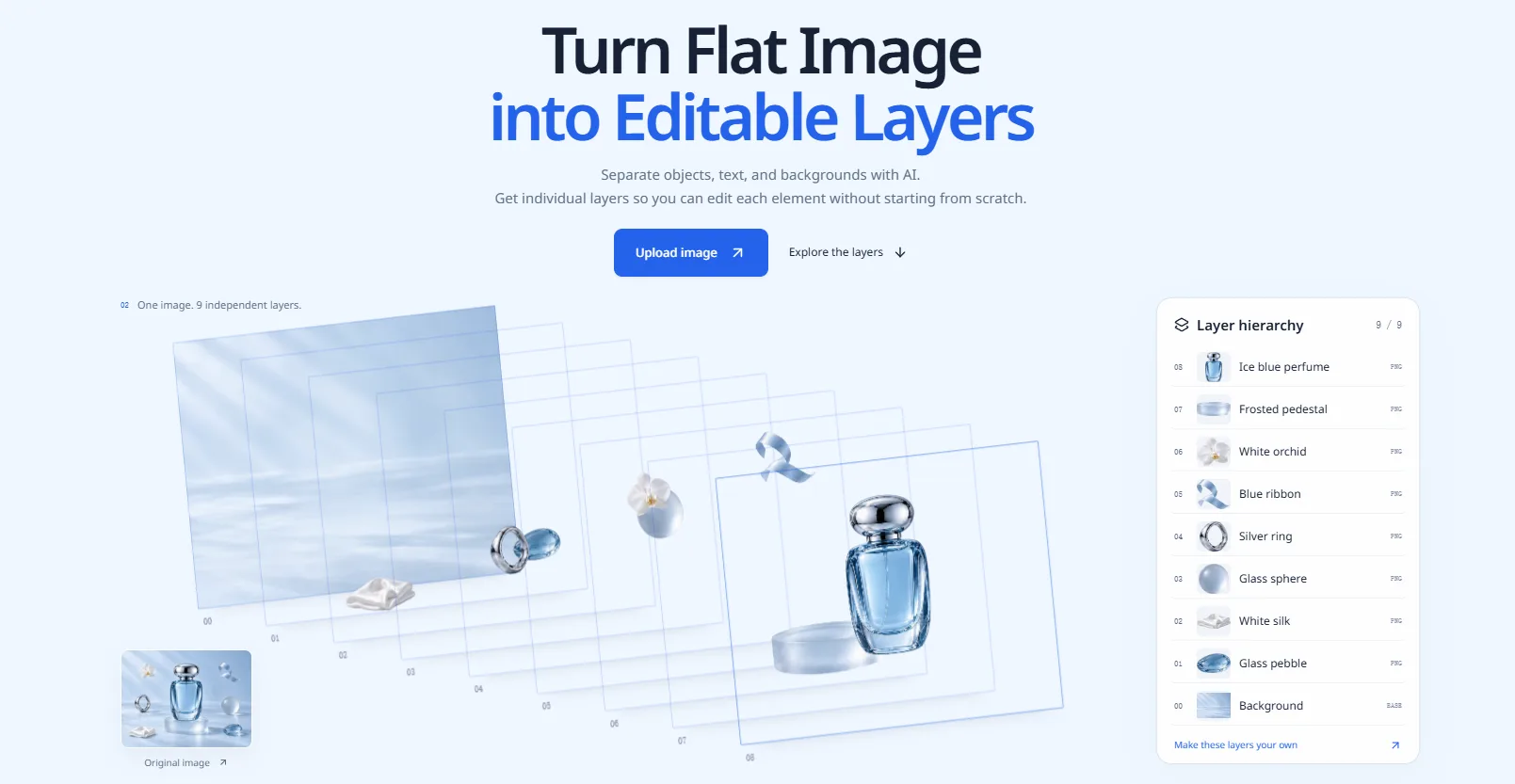
Hide, reorder, rename and move independent PNG layers, then download the assets or your visible composition.

Transform your static images into editable, multi-layered files effortlessly with Image to Layers. This AI-powered tool automatically separates complex visuals into distinct components, streamlining your design workflow for superior editing and creative control.
Tool stats
Domain authority, AI visibility, directory reach, and listing owner
No checks yet
No checks in this range yet. Samples land three times a week.
What you get
Key features
Capabilities that define this tool
Easy Editing
Lets you tweak specific elements of an image without touching the rest.
AI Processing
Uses smart technology to identify and isolate complex shapes for you.
Workflow Speed
Saves you tons of time by skipping manual cutting and masking.
Creative Control
Gives you full power to rearrange or modify pieces of your design.
Layer Separation
Automatically breaks a flat image into individual editable parts.
Layer Organization
Keeps your project neat by sorting components into distinct groups.
Common questions
Frequently asked questions
Quick answers about this tool
Community voice
Reviews for Image to Layers
One honest review per account — rating required, comment optional.
Latest reviews
More to explore
Featured tools
Related and featured listings from the same category









AI Directories
Join our newsletter
Daily AI news, new tools, directories, and deals — fresh in your inbox every day.






Trusted by 1000+ founders