



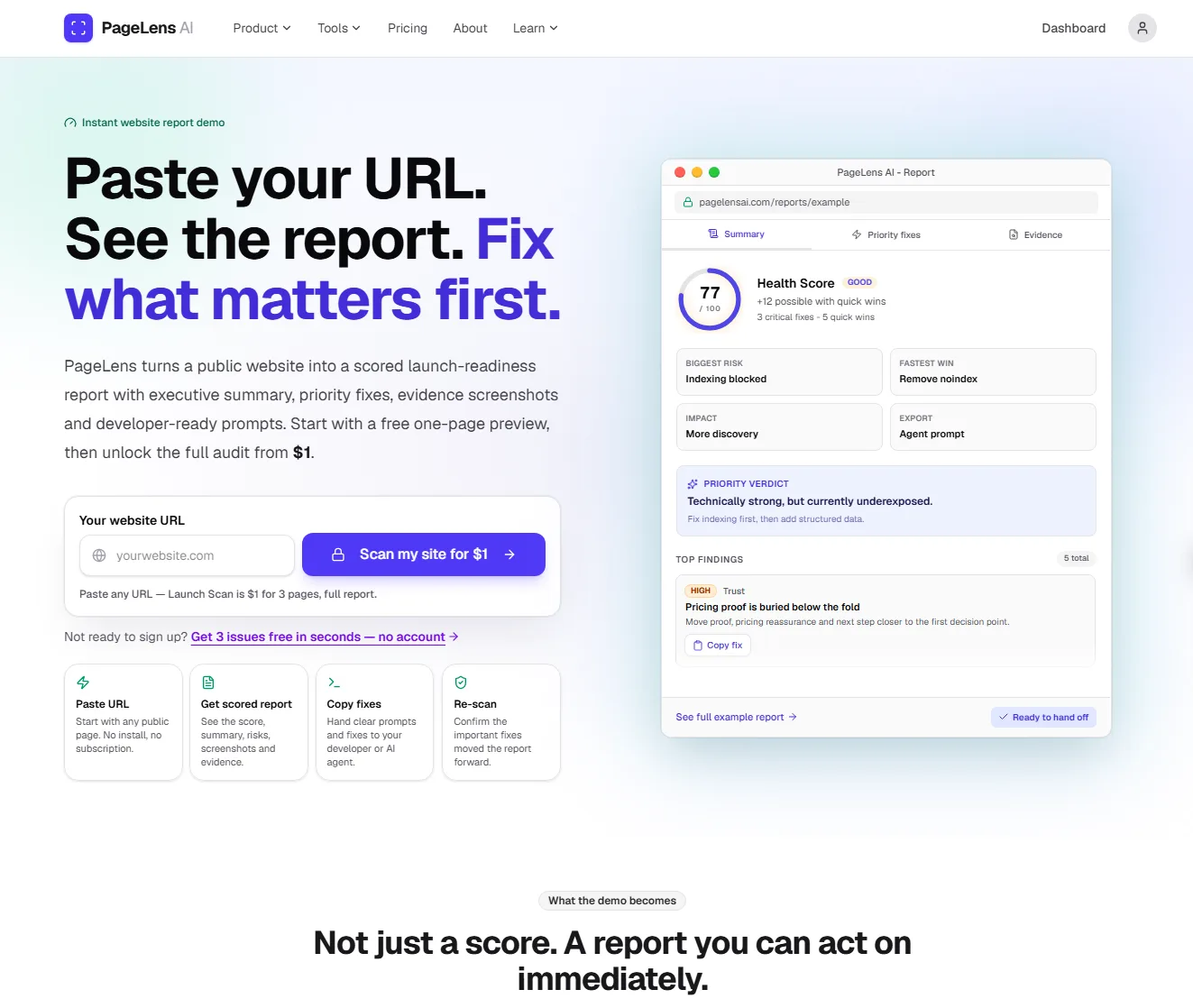
PageLens uses real browser automation to visit your site, capture optimised screenshots, inspect rendered HTML, and read HTTP headers. The report combines deterministic checks with AI review so you get practical findings across UX, SEO, accessibility, performance, content, security, tracking, trust and AI Search readin

PageLens AI is an intelligent content analysis and page optimization tool designed to help users understand, extract, and enhance webpage content. With advanced AI capabilities, PageLens AI enables businesses and content creators to gain deeper insights into their web pages, opti...
Tool stats
Domain authority, AI visibility, directory reach, and listing owner
What you get
Key features
Capabilities that define this tool
Content Analysis
Breaks down what's on your webpage and explains what it's really about
Summarization
Turns long page content into quick, easy to read summaries
SEO Boost
Helps make your pages show up better in search results
Engagement Optimization
Figures out how to make visitors more interested in your content
Performance Insights
Shows you how well your page is actually doing with visitors
Content Extraction
Pulls out the important information from messy or complex pages
Page Enhancement
Suggests smart ways to improve your webpage overall
Common questions
Frequently asked questions
Quick answers about this tool
Community voice
Reviews for PageLens AI
One honest review per account — rating required, comment optional.
Latest reviews
More to explore
Featured tools
Related and featured listings from the same category







AI Directories
Join our newsletter
Daily AI news, new tools, directories, and deals — fresh in your inbox every day.






Trusted by 1000+ founders